Getting started with the transcription
Walkthroughs, in order, showing what you will see on screen. For a precise question rather than a lesson, the help page answers faster.
This tutorial as a PDF All tutorials in one document
Transcribe an episode with no script
A programme arrives with no text, or with a script that no longer matches the cut. · 5 minutes of setup, then the wait
Point at the source
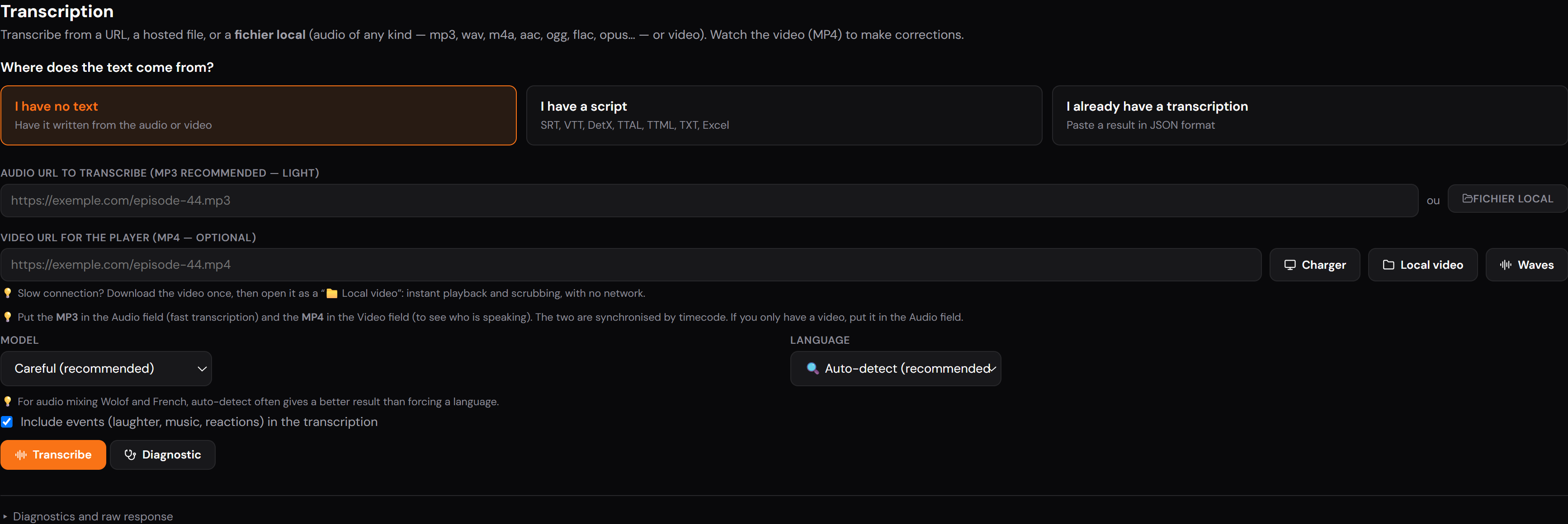
Transcription works on the audio, not the picture. Paste the media address, or pick it under Médias. An audio-only file is enough, and faster than a whole video.

Pick the language, or don’t
Auto-detect is the recommended setting, and genuinely so: on audio mixing two languages (Wolof and French in the same scene) it often beats forcing one.
Forcing a language only helps when detection gets it wrong, which happens on very short programmes.

Set the level and the events
Careful is slower and more accurate; Standard is enough for a first pass. The Include events box adds laughter, music and reactions, useful in dubbing, where they take real space on the band.

Work with no network
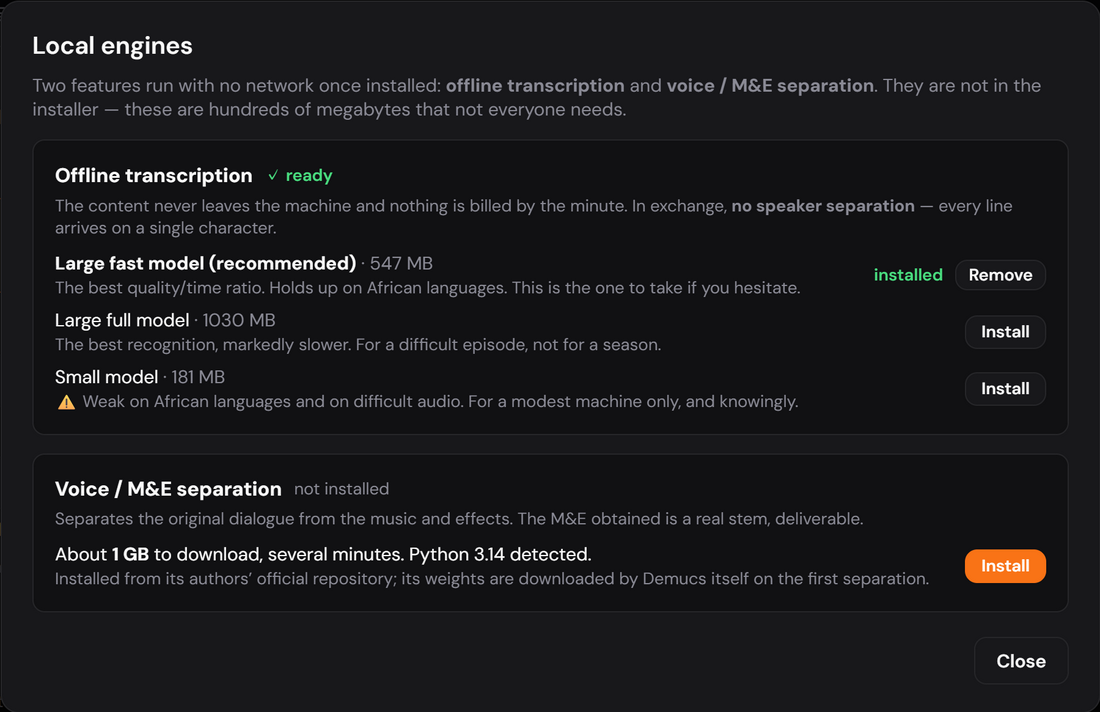
An offline engine installs from Moteurs locaux, in one click. The content no longer leaves the machine and nothing is billed by the minute: that is what an embargoed programme, a confidentiality clause, or a booth with no connection calls for.
In exchange, no speaker separation: every line arrives on a single character, to be split afterwards. And it is the machine’s processor doing the work — expect longer than the programme’s own duration.
Start it, and let it run
The screen names the current phase and the elapsed time, and estimates what remains from your previous runs. You can interrupt at any point.
Collect the text
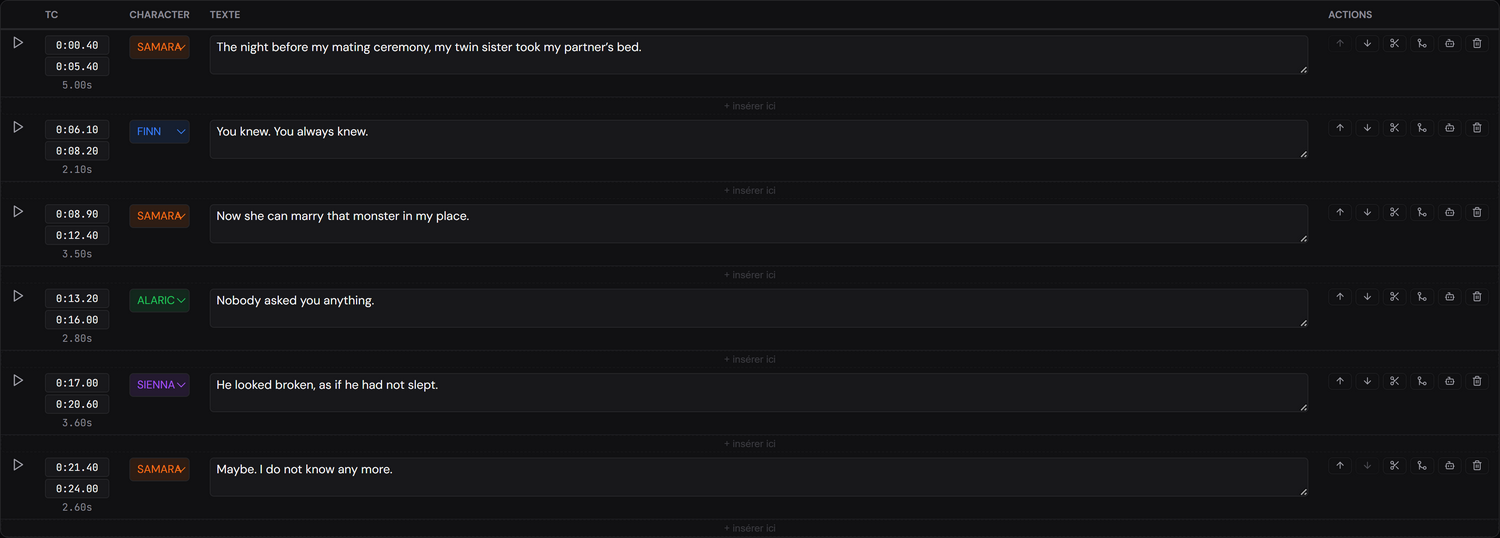
The lines arrive timecoded in the script, ready to adapt. That is the starting point for everything else: detection, the band, the voices.